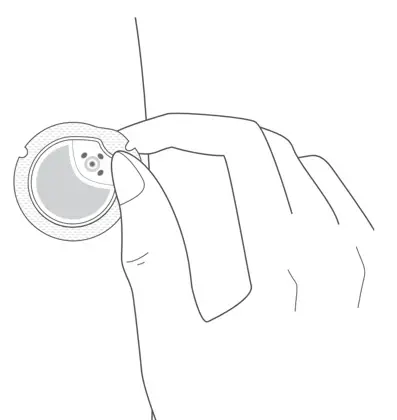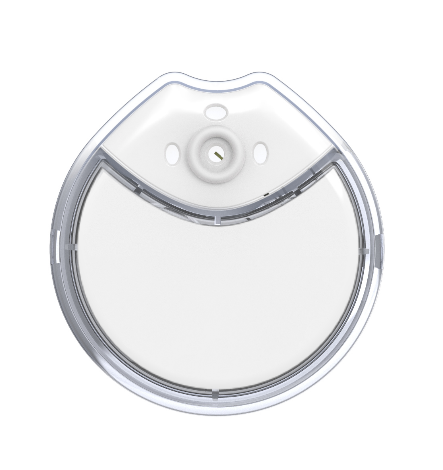
From sensor to screen
A small sensor measures glucose in the fluid just under the skin.
The transmitter sends readings to the app, where you can view glucose readings and trends.
Before you start
Read the full safety information, check that the system is suitable for you and confirm the app for your device.
This page is an overview, not a replacement for the Instructions for Use.
Getting started
Follow the sequence. Keep the complete guide beside you.

①
Set up your app
Use the app specified for your device. Register or log in, then follow the on-screen prompts.

②
Check your product
Check the expiry date and packaging. Do not use an expired product or damaged packaging.
③
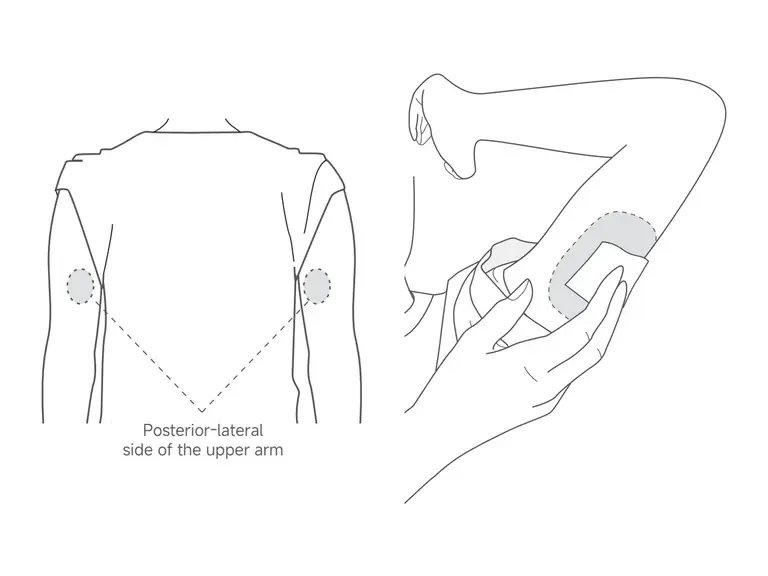
Prepare the site
Use the upper-arm site shown in the IFU, avoiding unsuitable areas. Clean the skin and let it dry completely.

④
Remove the bottom cover
Turn and remove the bottom cover as shown. Keep it for connection.
⑤
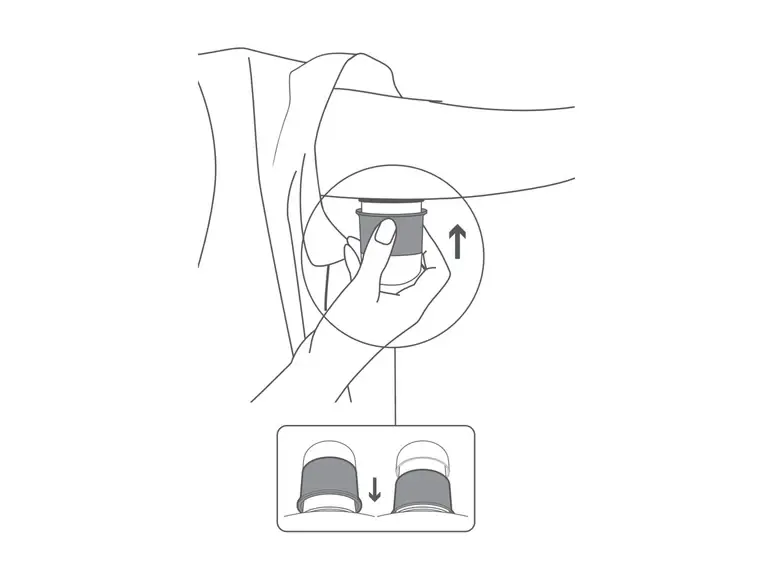
Apply the sensor
Place the applicator firmly against the prepared, dry skin before pushing the coloured ring.

⑥
Lift off the applicator
Slowly remove the applicator as shown in the guide.
⑦
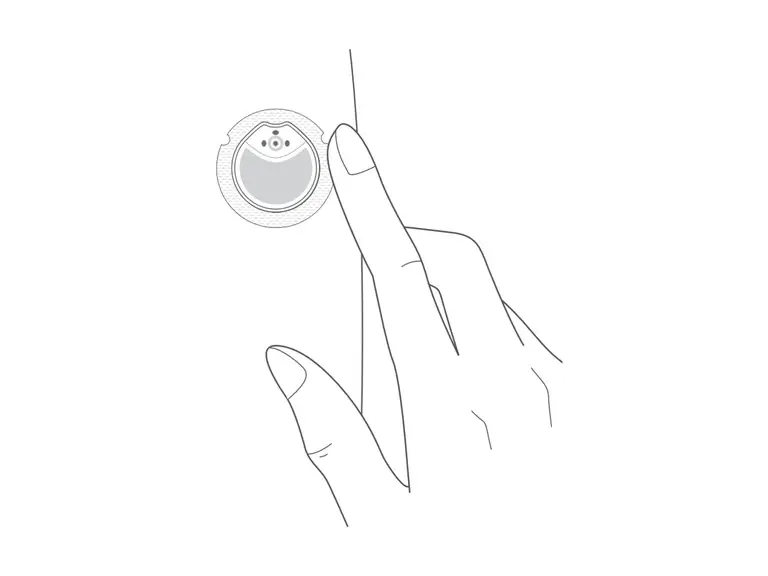
Secure the adhesive
Gently press around the adhesive edges so they sit closely against the skin.
⑧
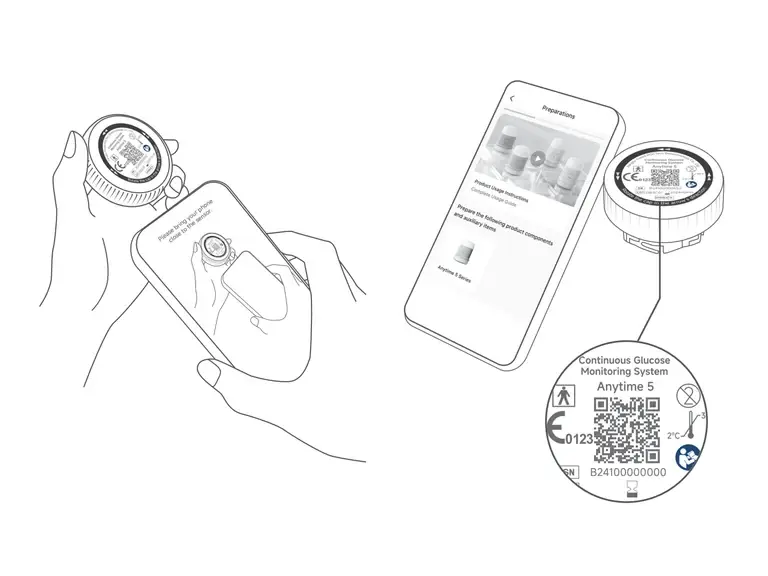
Connect and initialise
Follow the app prompts to connect with the bottom cover via NFC, or QR if NFC is unavailable. Wait for initialisation.
⑨
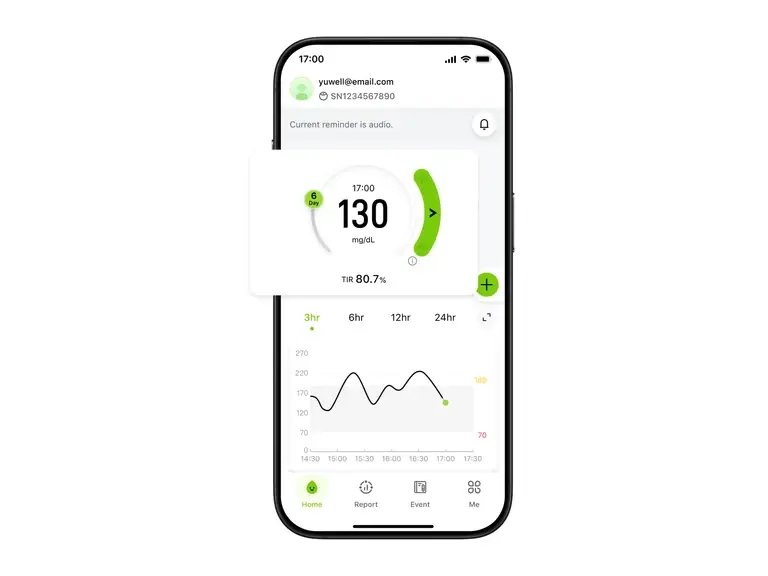
View your readings
Once initialisation is complete, view your glucose reading, trend arrow and glucose graph.

Manufacturer illustration (mg/dL). Contact us to confirm the app and display units for your Australian device.
See the pattern,
View readings and trends. Add events to review alongside your day.

Readings
Your current reading at a glance.

Trends
See how your glucose changes over time.

Events
Record events alongside your day.
During wear and when it’s time to change
Stay connected
Keep your phone nearby, Bluetooth on and the app running as directed in the IFU.
Check the guidance
Follow the IFU for alerts, connection problems, skin irritation and when blood glucose testing is required.
End and replace
Follow the removal and local disposal instructions. Sensors are single use; do not reuse.